
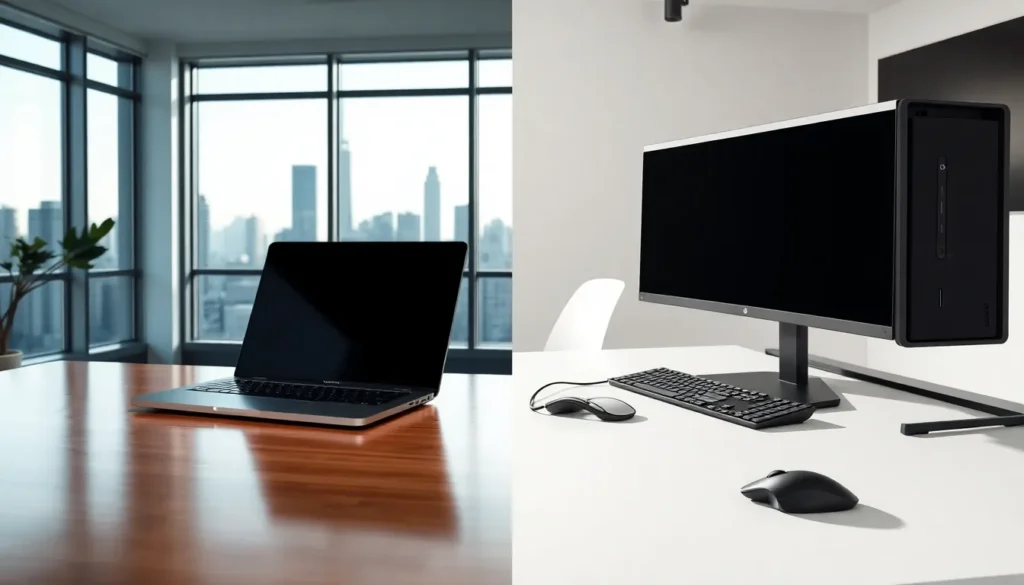
Laptops vs desktops remains one of the most common debates for anyone buying a new computer. Both options have clear strengths. Laptops offer mobility. Desktops deliver raw power. The right choice depends on how someone plans to use their machine. This guide breaks down the key factors, performance, portability, cost, and value, to help buyers make a confident decision. Whether someone needs a computer for gaming, remote work, or everyday tasks, understanding these differences will point them toward the best fit.
Table of Contents
ToggleKey Takeaways
- Laptops vs desktops comes down to your priorities—mobility favors laptops, while raw power and upgradeability favor desktops.
- Desktops outperform laptops at the same price point due to better cooling and full-sized components.
- Laptops offer unmatched convenience for remote workers, students, and travelers who need computing power on the go.
- Budget-conscious buyers get more value from desktops, while laptops bundle everything into a single, simplified purchase.
- Consider your actual use cases—gaming and video editing benefit from desktops, while everyday tasks and portability suit laptops.
- A hybrid setup with both a desktop and laptop provides maximum flexibility for users with diverse computing needs.
Key Differences Between Laptops and Desktops
The laptops vs desktops debate starts with fundamental design differences. Laptops combine the screen, keyboard, trackpad, and internal components into a single portable unit. Desktops separate these elements, a tower houses the processor and graphics card, while the monitor, keyboard, and mouse connect externally.
This design distinction affects almost everything else. Desktops use full-sized components. Laptops rely on smaller, power-efficient versions of the same hardware. A desktop CPU runs at higher speeds because it has better cooling. A laptop CPU throttles itself to manage heat in a compact space.
Upgradeability sets these two apart as well. Most desktops allow users to swap out the graphics card, add more RAM, or install additional storage drives. Laptops offer limited upgrade options, typically just RAM and storage on certain models. Some laptops solder components directly to the motherboard, making upgrades impossible.
Repairs follow the same pattern. A broken desktop component can usually be replaced individually. A damaged laptop screen or keyboard often requires professional repair or full replacement.
For users who want flexibility and long-term customization, desktops win. For those who prioritize an all-in-one solution, laptops deliver convenience.
Performance and Power
Performance is where the laptops vs desktops comparison gets interesting. Desktop computers consistently outperform laptops at the same price point. The reason is simple: size.
Desktop components don’t face the same thermal and power constraints. A desktop graphics card draws 300+ watts and uses a large heatsink with multiple fans. A laptop GPU might draw 80-150 watts and share cooling with the CPU. This gap affects gaming, video editing, 3D rendering, and any task that demands sustained performance.
Processors tell a similar story. Desktop CPUs from Intel and AMD offer higher core counts and faster clock speeds than their mobile counterparts. A desktop Ryzen 9 or Intel Core i9 will outpace the laptop version by 20-40% in multi-threaded workloads.
That said, modern laptops have closed the gap significantly. High-end gaming laptops now handle most AAA titles at solid frame rates. Workstation laptops run professional software without issue. For typical users, web browsing, document editing, video streaming, both platforms perform nearly identically.
Power users who need maximum performance should lean toward desktops. Casual users and professionals with moderate demands will find laptops more than capable.
Portability and Convenience
Portability defines the laptops vs desktops decision for many buyers. A laptop goes anywhere. A desktop stays put.
This matters for remote workers, students, and frequent travelers. A laptop fits in a backpack. It works at coffee shops, airports, and client meetings. The built-in battery provides hours of use without an outlet. Modern laptops weigh between 2-5 pounds, making them easy to carry daily.
Desktops require a dedicated workspace. They need a desk, a chair, and reliable power. Moving a desktop means disconnecting cables, transporting a heavy tower, and setting everything up again. Most people don’t bother.
But, desktops offer ergonomic advantages. Users can choose their preferred monitor size, keyboard style, and mouse. They can adjust screen height and viewing angles freely. A 27-inch or 32-inch monitor provides more screen real estate than any laptop display.
Laptops work well with external monitors and accessories too. Many professionals dock their laptops at home for a desktop-like experience, then unplug and take them on the road. This hybrid approach gives users the best of both worlds.
For anyone who values mobility, laptops are the obvious choice. For those who work from a single location, desktops provide comfort and customization.
Cost and Value Considerations
Cost plays a major role in the laptops vs desktops decision. Generally, desktops offer more power per dollar. A $1,000 desktop outperforms a $1,000 laptop in almost every benchmark.
The price difference comes from component costs. Desktop parts are cheaper to manufacture and easier to cool. Laptop components require miniaturization and specialized engineering, which adds expense. A desktop also skips the built-in screen and battery, buyers purchase those separately or use existing peripherals.
Budget-conscious buyers get more value from desktops. A $600 desktop handles productivity tasks smoothly. A $600 laptop might struggle with multiple browser tabs and background applications.
Long-term costs favor desktops too. Upgrading a desktop extends its lifespan by years. A new graphics card or additional RAM keeps an older system competitive. Laptops typically last 4-6 years before performance limitations or battery degradation force a replacement.
But, laptops bundle everything into one purchase. Buyers don’t need a separate monitor, keyboard, mouse, or speakers. For someone starting from scratch, this simplifies budgeting.
The total cost of ownership depends on individual needs. Power users save money with desktops over time. Mobile users may find laptops worth the premium for their flexibility.
Choosing the Best Option for Your Needs
The laptops vs desktops choice comes down to priorities. Neither option is universally better. Each serves different users well.
Choose a laptop if:
- Mobility matters for work or lifestyle
- Space is limited at home
- A single device needs to handle multiple environments
- Simplicity and convenience outweigh raw performance
Choose a desktop if:
- Maximum performance is the goal
- Gaming, video editing, or 3D work is a primary use
- Upgradeability and longevity matter
- Budget needs to stretch further
Some users benefit from both. A powerful desktop at home handles demanding tasks. A lightweight laptop covers travel and meetings. This setup costs more upfront but provides flexibility.
Buyers should also consider future needs. A student might prefer a laptop now but want a desktop after graduation. A remote worker might shift to office-based work and need less portability.
The best approach is honest self-assessment. How will the computer actually be used? Where will it be used? What tasks will it run? Answering these questions points clearly toward laptops or desktops.


